Hey Hackers! 👋
We recently revamped the writer dashboard and overall writing experience by introducing Chowa. But that’s not all—we also turned discovering your next blogging template into a smoother, more enjoyable experience. Let's dive in!
You can learn more about our recent design updates and meet Chowa here.
Introducing the New Blogging Templates Page
You can still browse all your favorite Blogging Templates—now in a clean, streamlined new layout.
First Things First: How Do I Access the Blogging Templates?
- Visit app.hackernoon.com/blogging-templates



- Or: Click "Start Writing" in the top right corner of your screen, then click the green arrow on the right. You'll see the option for “Writing Templates.” Select it and voilà!
How do I navigate templates?
You can browse templates by Favorites, New, or Popular, or search using a keyword—just like before. Click a filter or type in your keyword to instantly see matching results.
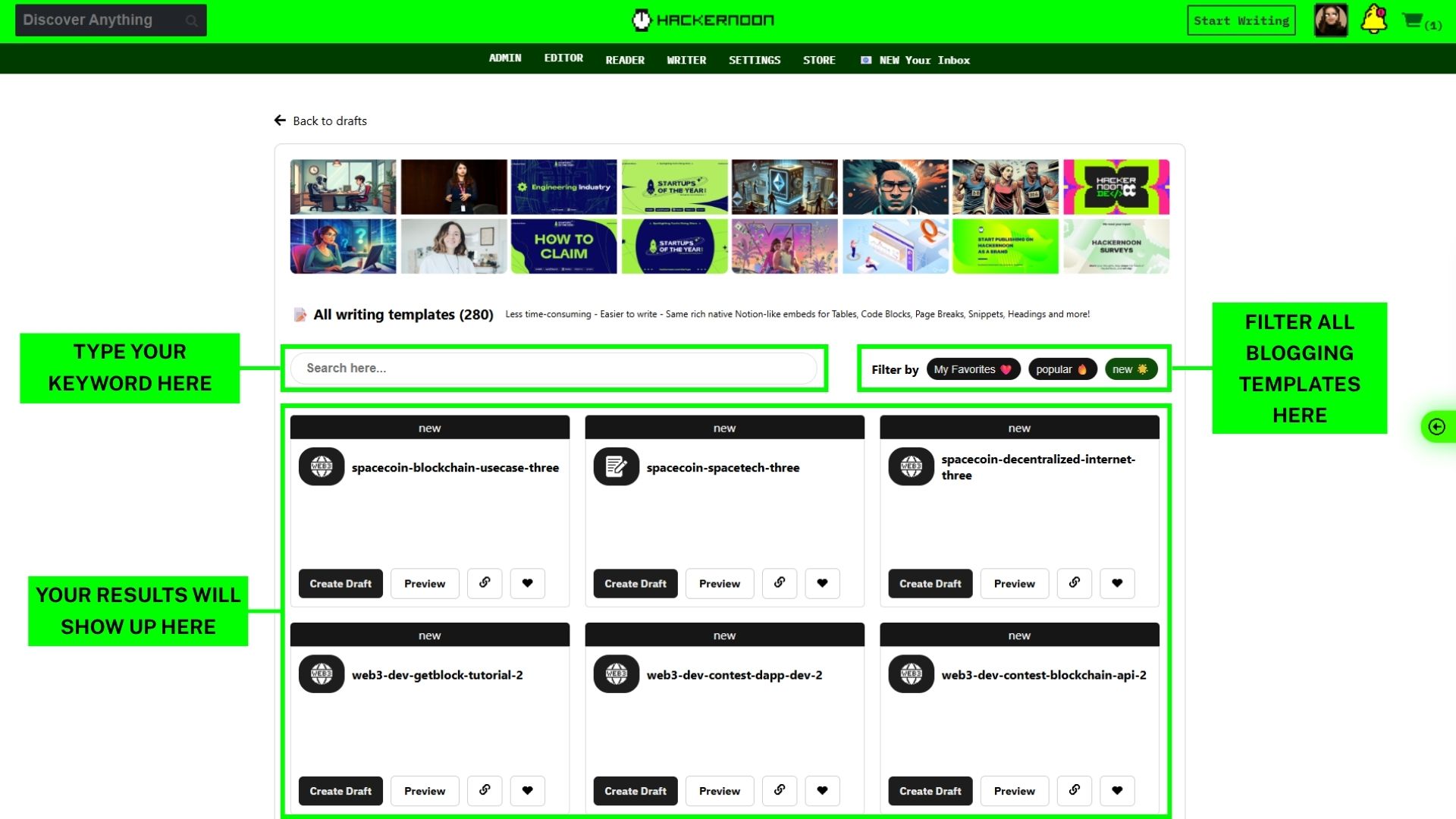
You can also see how many people have favorited or used each template—right at the top of each card. 👇
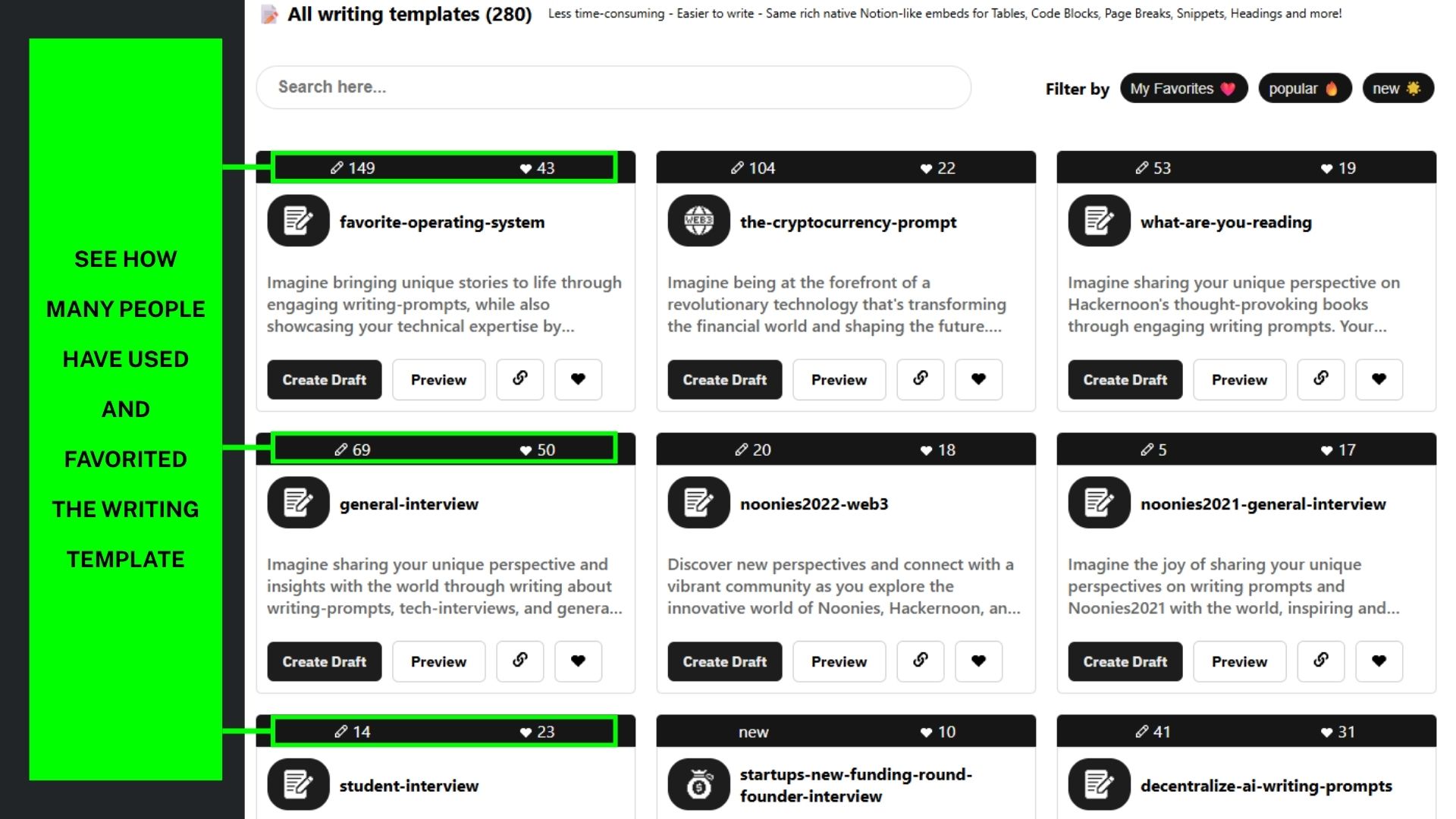
You can still preview templates, copy the link, or click the heart icon to save them to your favorites. Once you find the right template, click “Create Draft” to get started. A draft will open using that template, ready for you to edit as needed.
That's it!
Try a blogging template today and make your next story easier to start. 🚀